On your lock screen
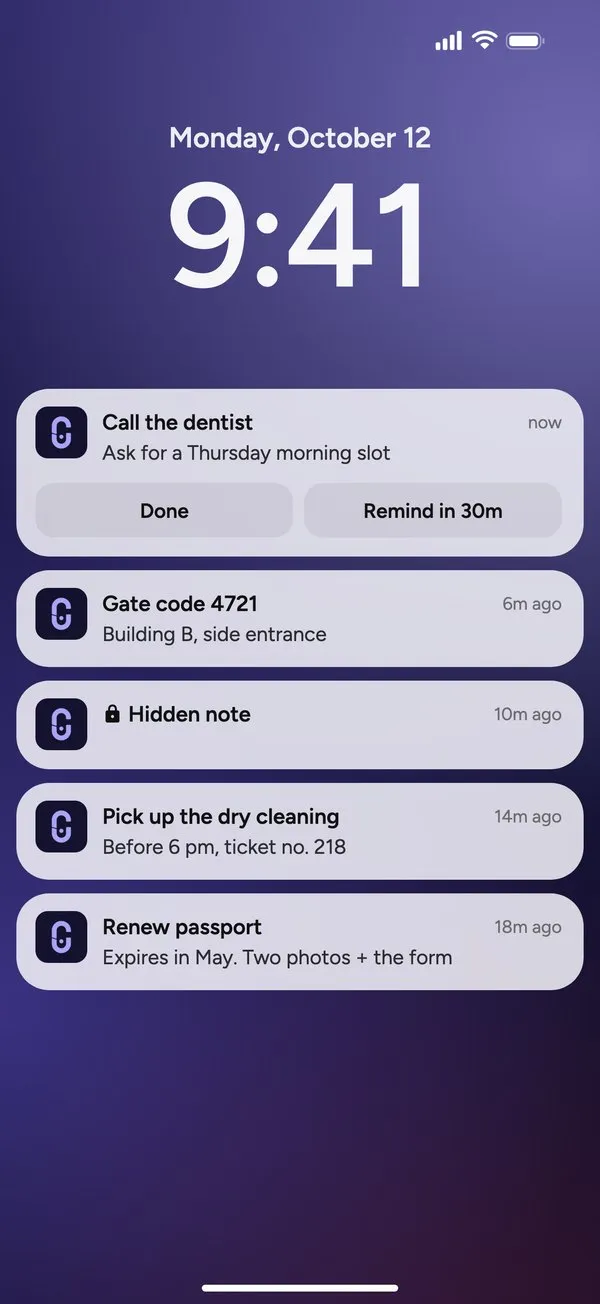
Pin a note and it waits on your lock screen, where you see it every time you pick up your phone. No unlocking, no opening an app. On Android it stays put until you unpin it, with a button to snooze it for 30 minutes.

Pin notes. Keep reminders visible. Forget less.
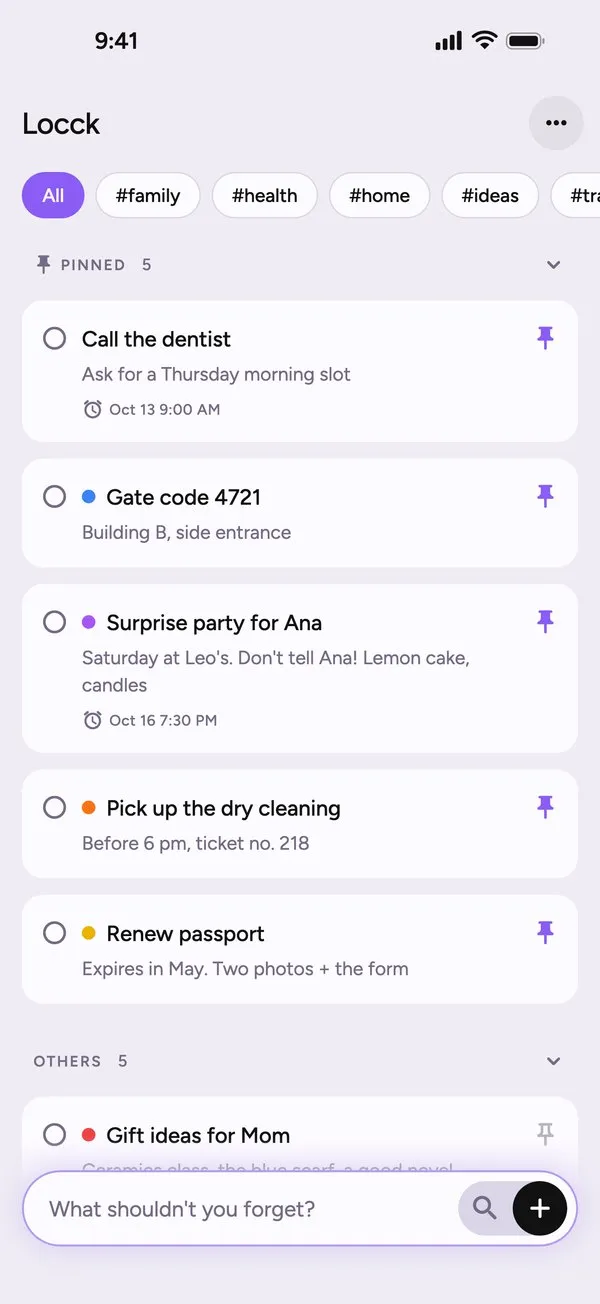
A note app for the things you can't afford to forget. Pin a note and it stays on your lock screen and in your widgets, with a reminder when it matters.

locck/lɒk/
Lock, as in locking a thought in place. The extra c makes the name distinctive, as if the word itself is holding on a little tighter.
Important notes get buried in long lists, and reminders lose the context of why they were set. Locck keeps the two together and in sight, so your home screen reminds you of things instead of distracting you.
Pin a note and it waits on your lock screen, where you see it every time you pick up your phone. No unlocking, no opening an app. On Android it stays put until you unpin it, with a button to snooze it for 30 minutes.
Home screen widgets in three sizes on iPhone and a resizable list widget on Android, plus lock screen widgets on iPhone. They update the moment you pin or unpin a note.
Give any note a date and time and pick one of five sounds, so you know it's Locck before you look.
Search filters your notes as you type. Sort by title, creation or edit date, and colour-code what matters.
Your notes live in an encrypted database on your device. There's no account to create and nothing to sign up for.
Nothing in Locck’s look is decoration. Here is what the icon, each colour and each typeface stands for.

The doubled c of the name, drawn as an open shackle with a keyhole inside. It reads as a letter and as a lock at once: a note locked to your lock screen until you mark it done.
#8B5CF6The default accent for buttons, switches and pins. Purple is calm and certain, and reminders should never feel like warnings.
#A9A4F5The mark itself: the same purple, lifted so it glows softly on a dark lock screen.
#14122EThe icon ground, a blue so deep it reads as a phone screen at night.
#111111Inside the app, notes are ink on paper: the plainest way to put a thought in front of you.
#F4F4F4A soft off-white page, easy on the eyes for something you read a hundred times a day.
Clear and friendly at small sizes, which matters most on a lock screen you only glance at.
Want an identity built with this much intent for your product? See how we work.
Pin it. On Android it becomes a quiet notification that stays until you unpin it, with a button to snooze it for 30 minutes. On iPhone it appears as a notification and in Locck's lock screen widgets.
Three for free. With Locck Pro you can pin up to 10 on iPhone and 20 on Android, the most each system shows reliably.
No. Locck works fully without signing up.
In an encrypted database on your phone.
Yes. Every note can have its own reminder with a date, a time and one of five sounds.
Yes. Widgets refresh as soon as you pin, unpin or edit a note.
Yes. Everything works without an internet connection.